Cloudflare Email Routing
Date: 2026-06-24
Status: Working
System: Cloudflare Email Routing, Cloudflare Workers
Sensitive data: Masked
Goal
Route any email address ending in @mdm.saashq.in to masked-destination@gmail.com without hosting an email server.
This pattern is useful when a developer or tester needs disposable, traceable email addresses under one subdomain while all messages still land in a normal inbox.
Example use cases:
- Test signup flows with unique addresses such as
test-run-123@mdm.saashq.in. - Capture emails from staging systems without creating real mailboxes.
- Give each integration test, QA run, or sandbox service its own address.
- Route product/vendor notifications from a technical subdomain to one monitored inbox.
Final Result
- Wildcard behavior:
*@mdm.saashq.inforwards tomasked-destination@gmail.com. - Exact route kept active:
admin@mdm.saashq.in. - Email Worker:
mdm-subdomain-catchall-forwarder. - Verification address:
test-run-1782314050092@mdm.saashq.in. - Cloudflare Activity Log result:
HandledandForwarded.
Cloudflare subdomain catch-all limitation
Cloudflare Email Routing does not directly allow a catch-all rule for each subdomain in the dashboard. The working approach is to enable the zone-level catch-all, route it to an Email Worker, and let the worker forward only recipients ending in @mdm.saashq.in.
Final Configuration
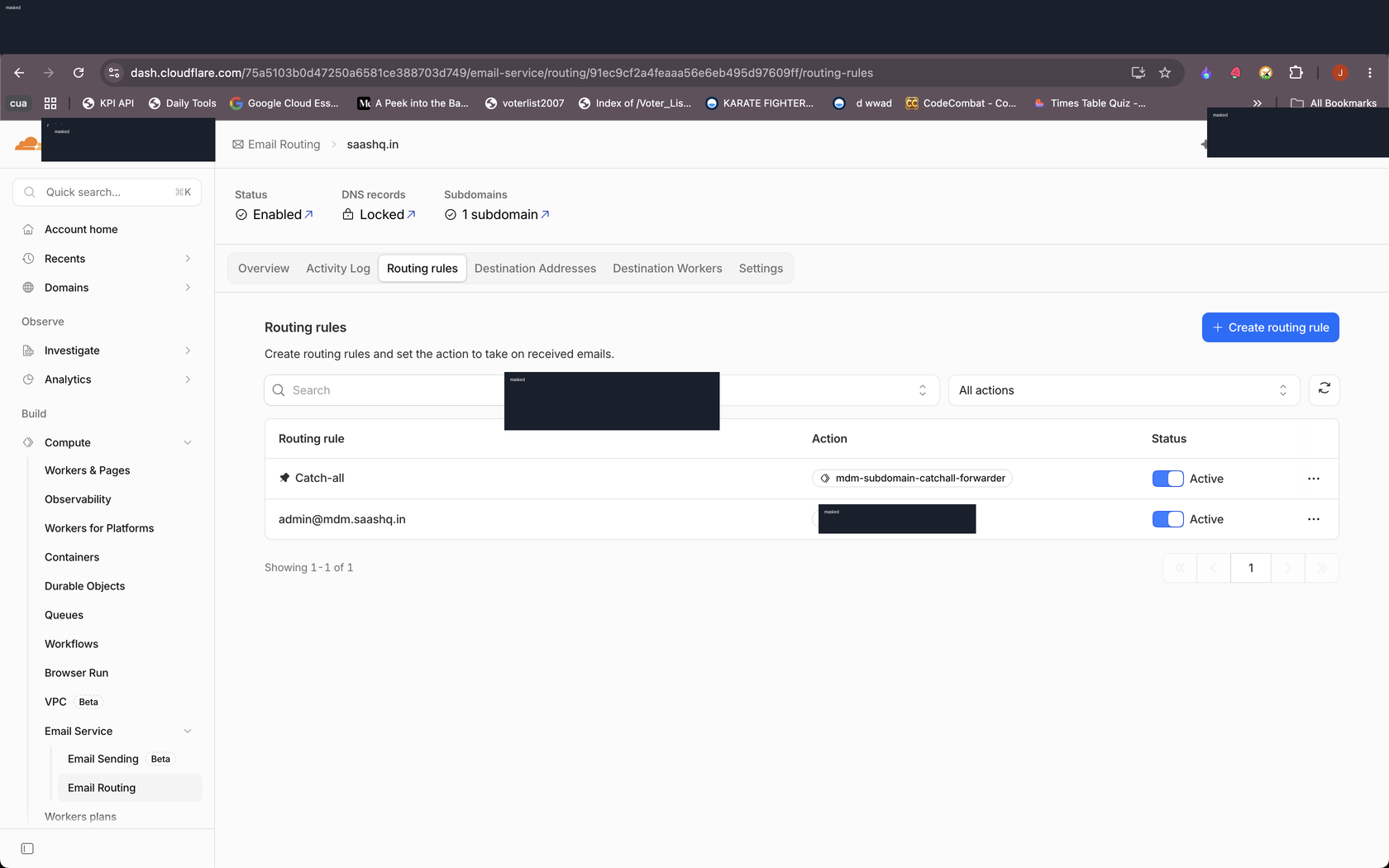
- Email Routing is enabled for
saashq.in. - The Email Routing subdomain
mdm.saashq.inis enabled. - Cloudflare manages/locks the required email DNS records.
- The destination address
masked-destination@gmail.comis verified. - The exact route
admin@mdm.saashq.inis active. - The catch-all rule is active and points to
mdm-subdomain-catchall-forwarder.
Email Worker
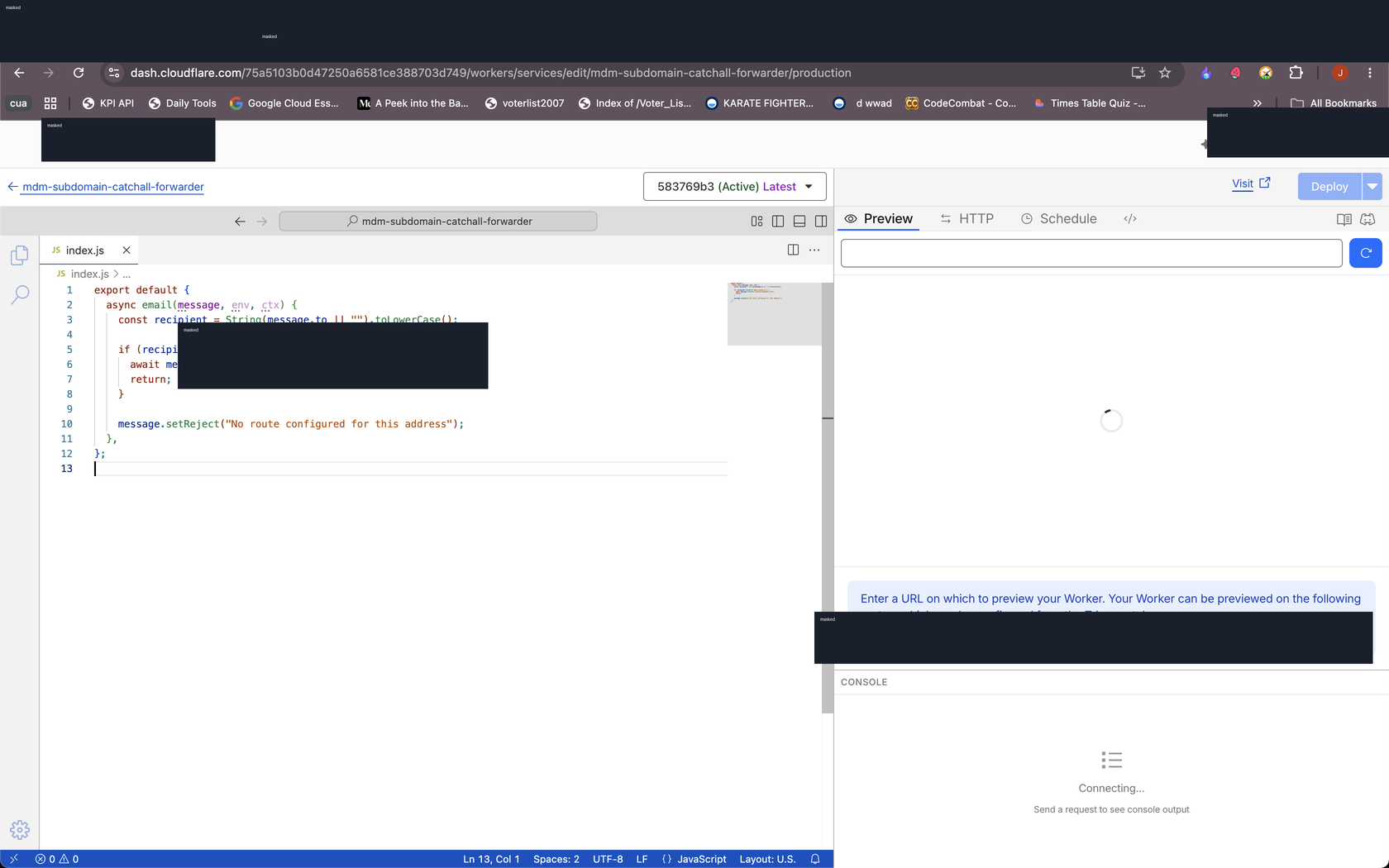
The worker filters all catch-all mail. Only addresses ending in @mdm.saashq.in are forwarded. Anything else caught by the zone-level catch-all is rejected.
export default {
  async email(message, env, ctx) {
    const recipient = String(message.to || "").toLowerCase();

    if (recipient.endsWith("@mdm.saashq.in")) {
      await message.forward("masked-destination@gmail.com");
      return;
    }

    message.setReject("No route configured for this address");
  },
};
Verification
Test email sent to:
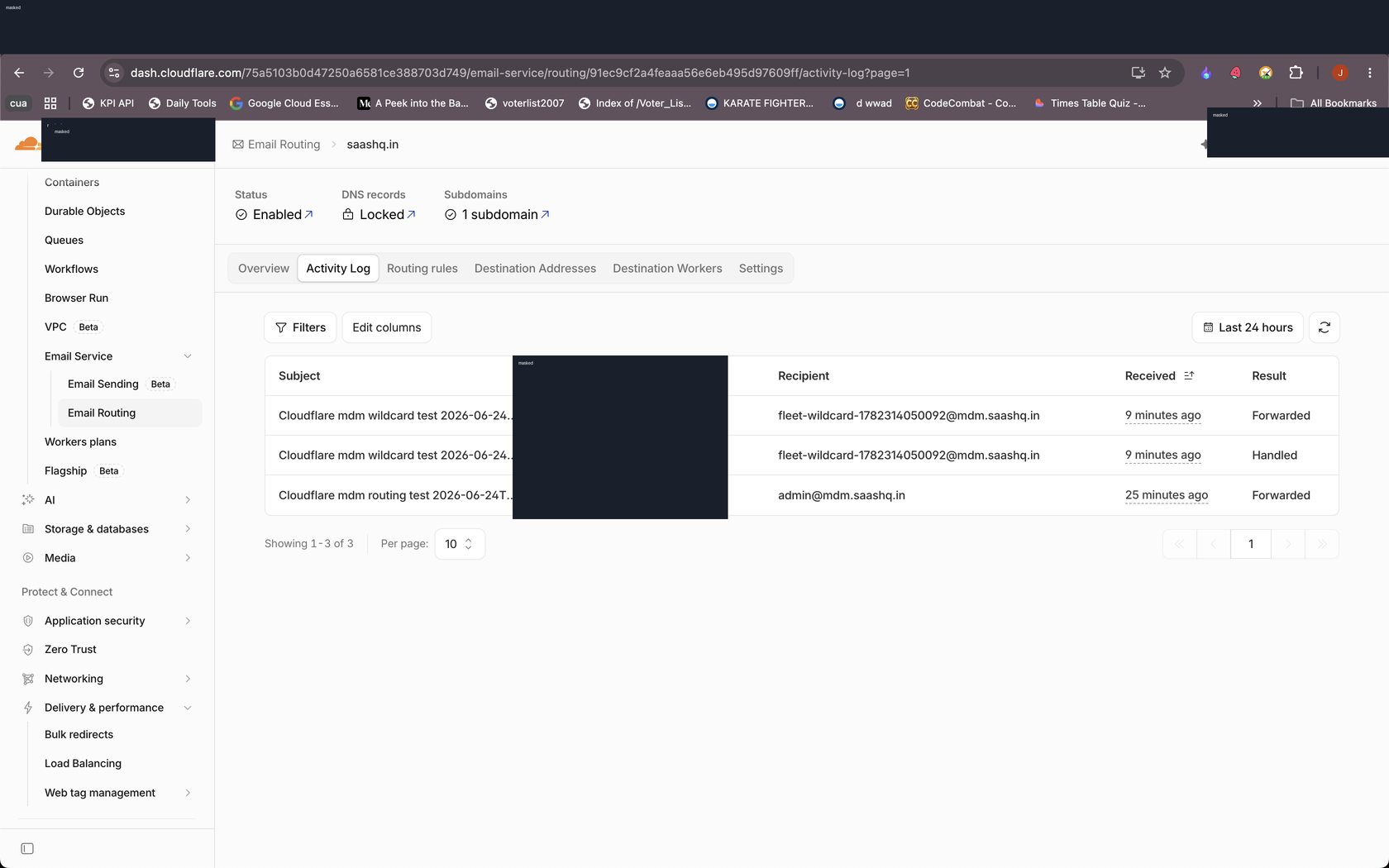
Cloudflare Activity Log showed:
- Subject:
Cloudflare mdm wildcard test 2026-06-24T15:14:10.093Z - Recipient:
test-run-1782314050092@mdm.saashq.in - Result:
Handled - Result:
Forwarded
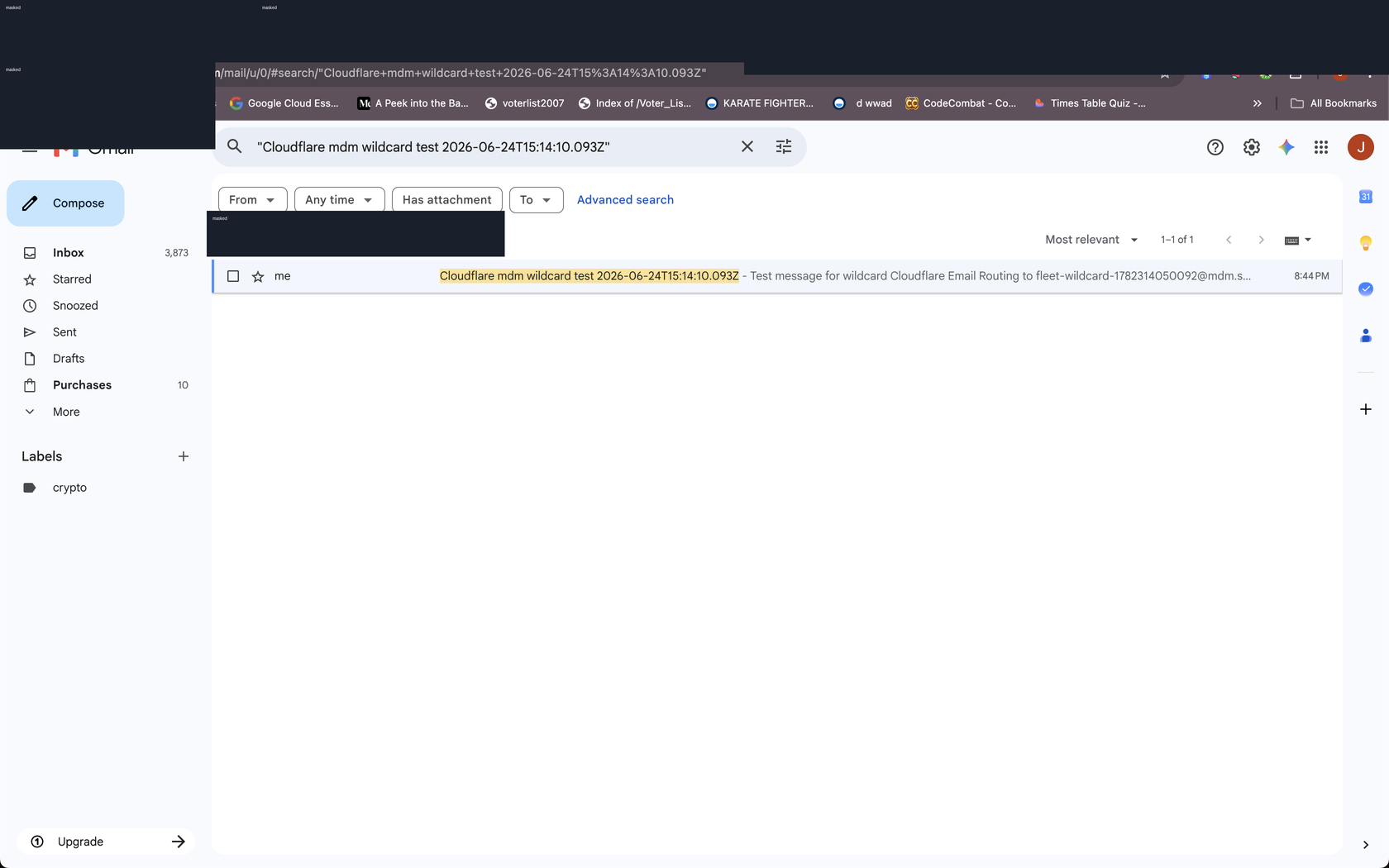
Gmail search also showed the matching test conversation in the destination mailbox.
Future Checklist
- Use addresses like
qa-run-001@mdm.saashq.in,staging-alerts@mdm.saashq.in, orvendor-test@mdm.saashq.inwhen a tool needs a unique inbox address. - If mail stops arriving, check Cloudflare Email Routing -> Activity Log first.
- If Activity Log shows
Handledbut notForwarded, inspect the Email Worker and destination verification. - If Activity Log has no entry, check DNS/subdomain status under Email Routing settings.
- Keep real mailbox usernames out of screenshots and public docs.